Projects made easy with Microsoft 365.
Modern project portfolio management with Microsoft 365. With PlainPPM, you steer your projects right from your familiar workplace, with app and data in your own M365 environment.









 thyssenkrupp nucera
How organizations work with PlainPPM
«The introduction of PlainPPM as our enterprise project management solution has led to significant improvements in process workflows, project planning and execution, as well as in collaboration.»
«PlainPPM has significantly improved our project management and the visibility of our project landscape. We can plan and implement ideas and projects in a smart way and track and proactively steer progress in our portfolio live.»
Work simply. Steer together. Make an impact.
Successful organizations turn good ideas into strong results, step by step and with a clear view of the big picture. PlainPPM supports this journey from idea to result, right in your Microsoft 365 environment.
Work simply
We want your entire project organization to embrace PlainPPM. It focuses on what matters: simplicity, clarity and a design your teams enjoy working with.
Steer together
Everyone involved works on a shared basis, and every role has the right view: project managers on their project, the PMO on the portfolio, management on the big picture. This is how you deliver your projects successfully together.
Make an impact
Your team works purposefully on its initiatives, with direct access to your entire Microsoft 365: Planner for planning, Power BI for reports. And the PlainPPM assistant with Copilot supports you right in the tool.
PlainPPM in just over two minutes: standard and extensions
In just over two minutes, the video shows how PlainPPM supports your initiatives from the idea through prioritization and approval to delivery – 100 % based on Microsoft 365. It explains the PlainPPM standard and its extensions from the Feature Kiosk, such as Gantt visualization, ad-hoc reporting and scenario analysis.
Read the transcript (English translation)
Perhaps you know PlainPPM from a demo or one of our webinars. A lot has happened since then. Our solution makes project management with Microsoft 365 simple. What’s new is how flexibly you can adapt the PlainPPM standard to your organization, adding modular extensions to suit your needs.
We make it easy and intuitive to manage your projects, from idea prioritization and approval through planning to delivery. This is how we bring ideas, projects and resources together in a complete view of your project portfolio.
PlainPPM is where work happens: in Microsoft Teams. It’s built entirely on Microsoft 365, with Power Apps for your apps, Power Automate for your workflows and Power BI for your reporting.
PlainPPM’s standard offering already covers the entire project life cycle. Every organization has its own requirements, so you can extend the standard wherever you need more. The Feature Kiosk shows you the available extensions and continues to grow. Simply click a tile to try one out.
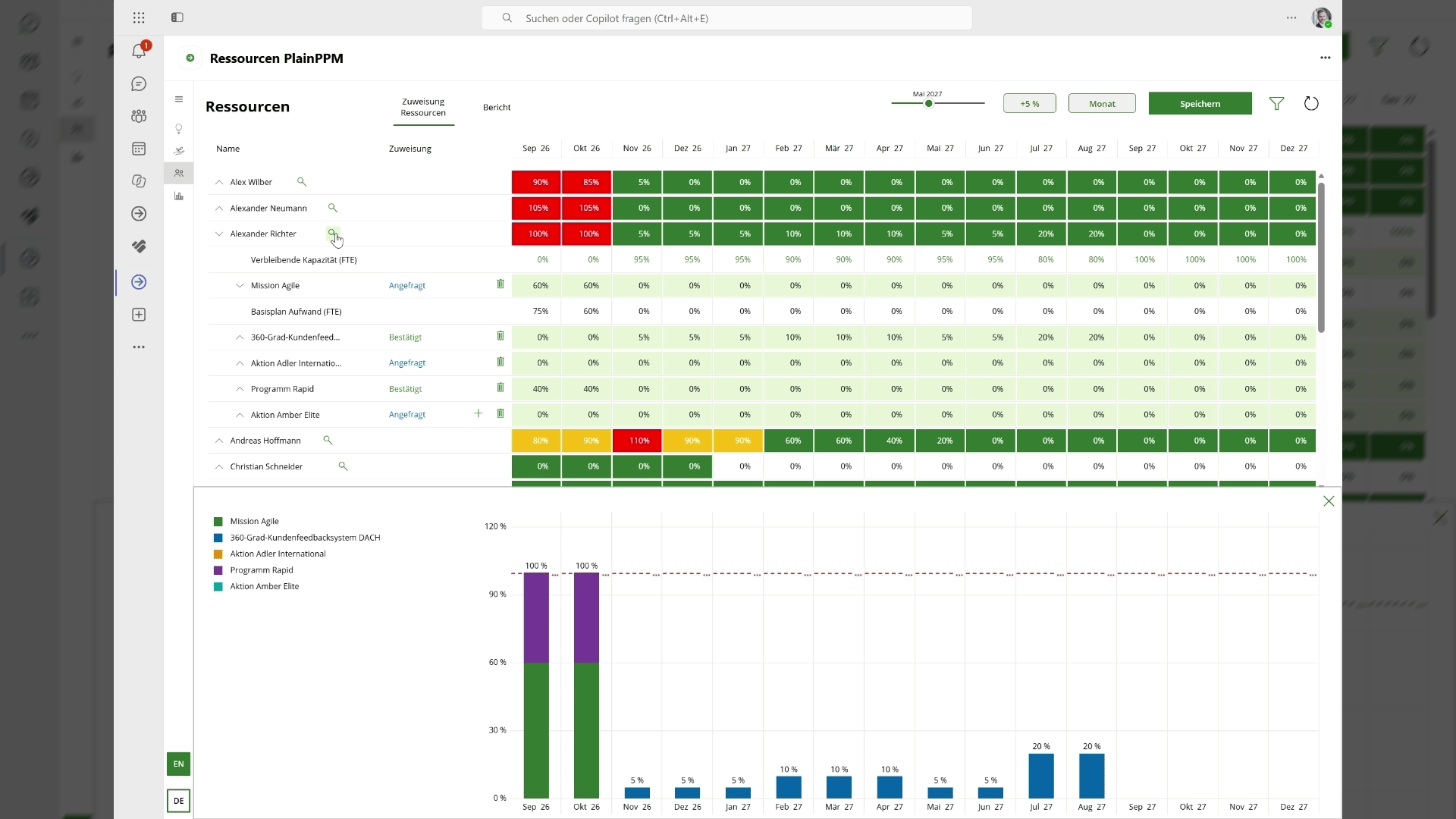
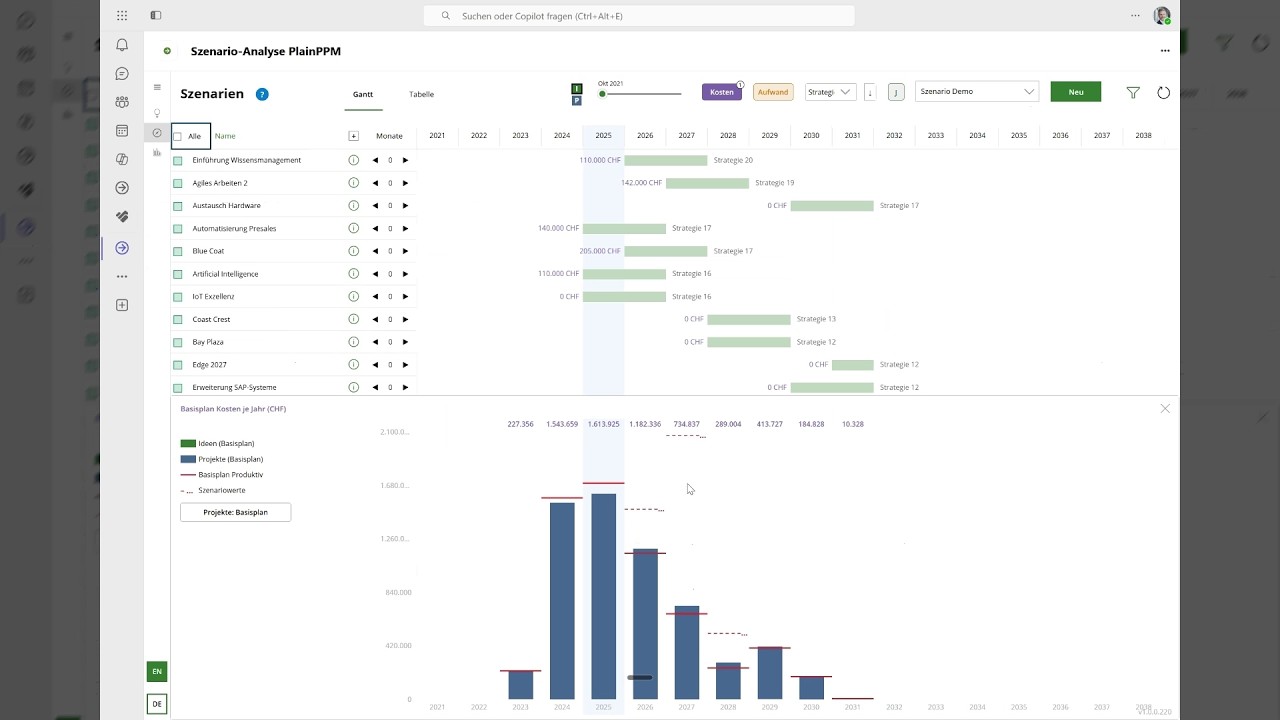
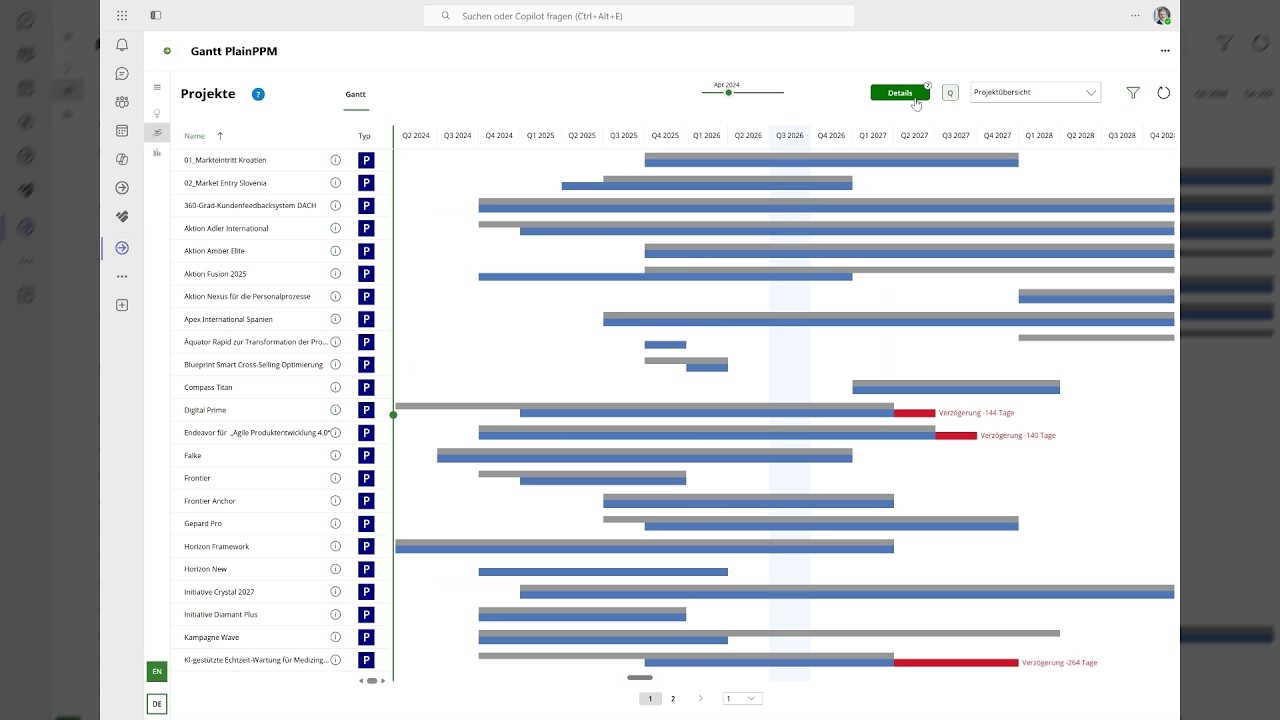
Gantt visualization makes project dates and schedule variances easy to understand. Ad hoc reporting lets you create modular reports that are easy to adapt and update in real time. Scenario analysis helps you decide which initiatives you can deliver with your available resources and budgets.
If you need anything beyond that, we build it for you. Quickly and in line with the standard. Step by step, your solution takes shape, tailored to your organization.
Do you have questions or would you like to find out more? Get in touch and book a personal demo or trial week. We look forward to talking with you.
PlainPPM – get started with ease and grow together.
Modules: from the idea to the portfolio report
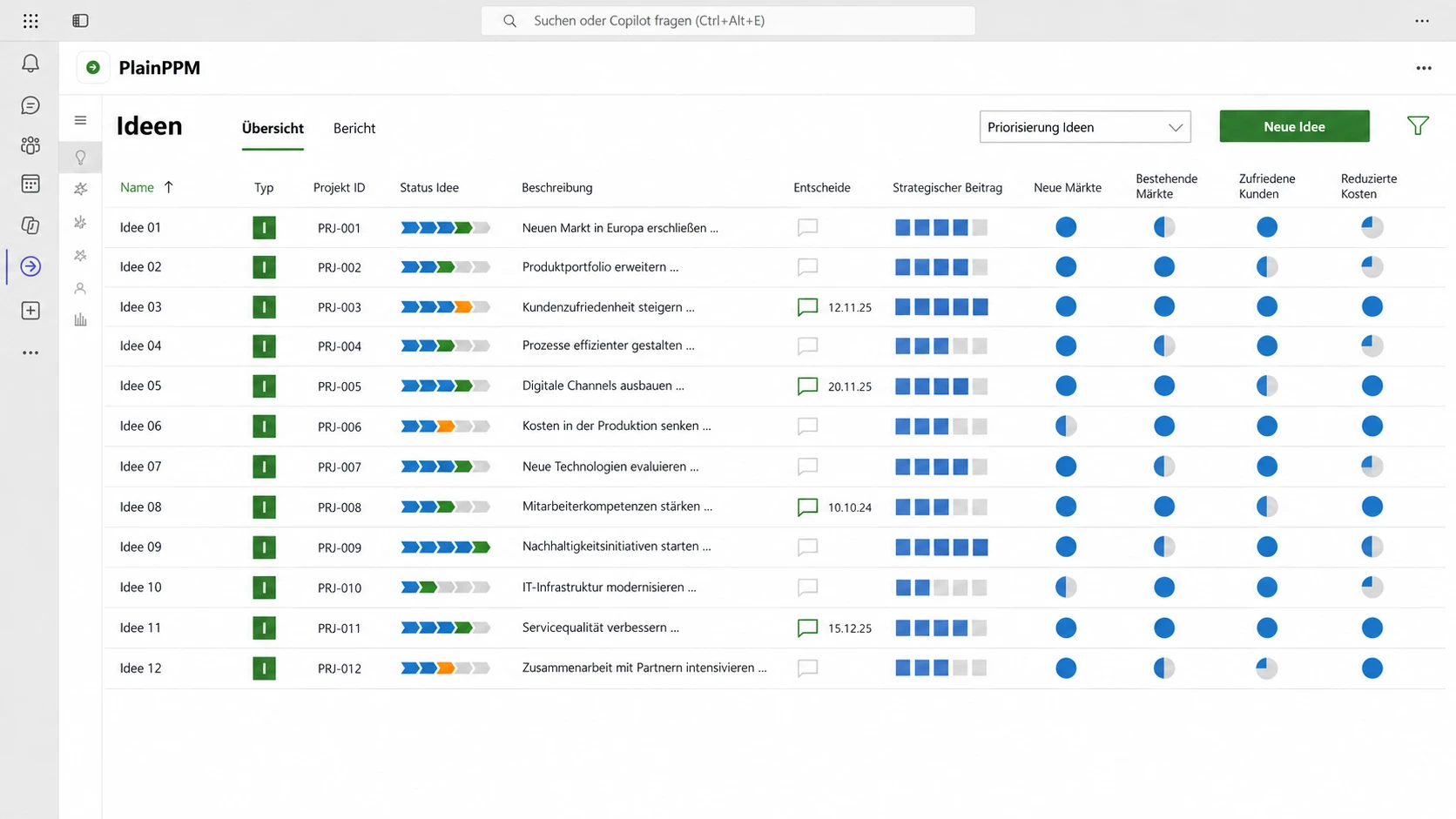
Every good idea counts
All proposals in one place, evaluated against your strategic goals.
Do the right projects
See at a glance which ideas move your strategy forward the most.
Benefit from templates
Start your projects with the right tools from PlainPPM and Microsoft 365, tailored to each project’s content and complexity.
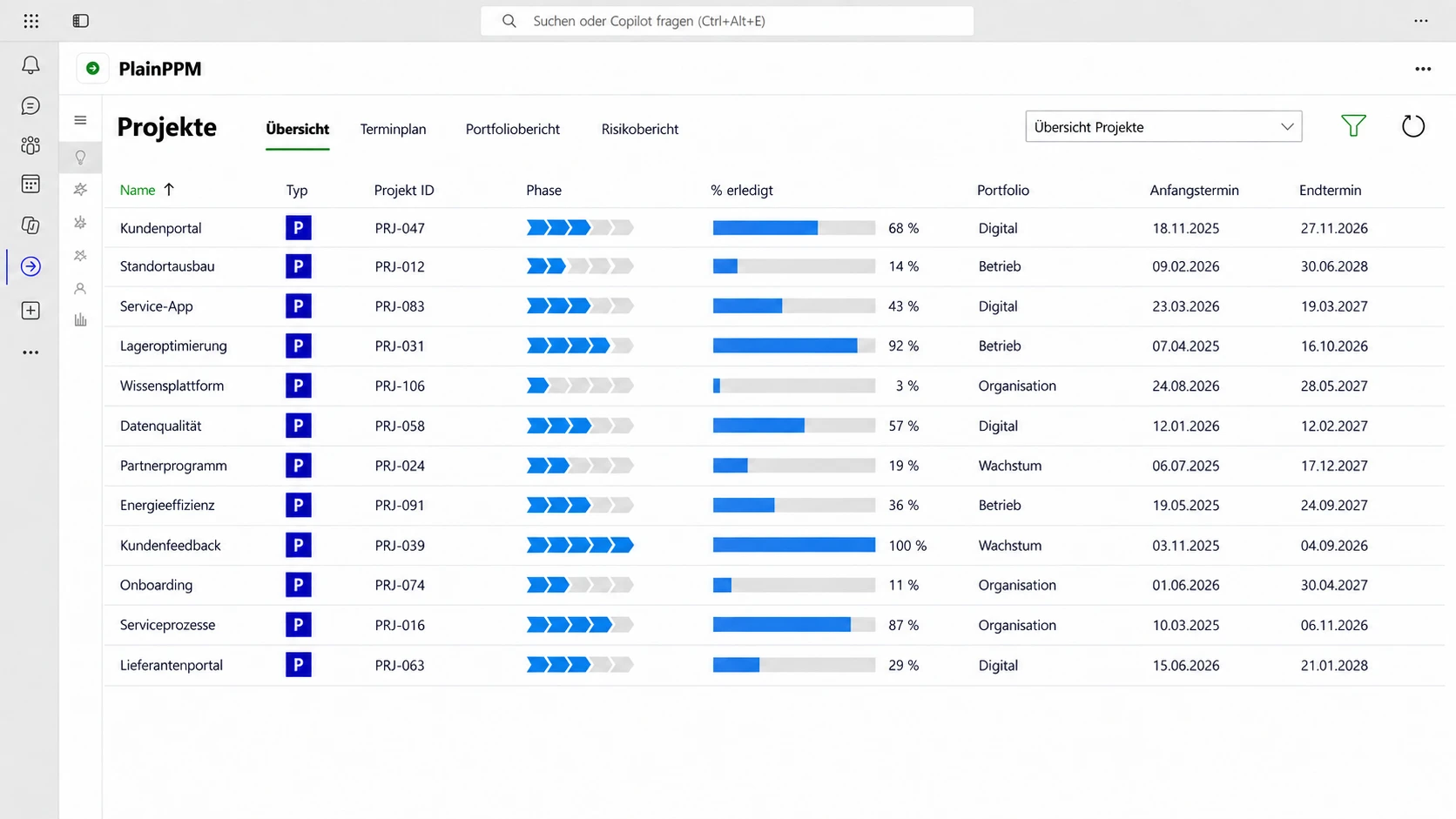
All projects at a glance
Get a clear view of your project portfolio, with all initiatives and the information you need at a glance.
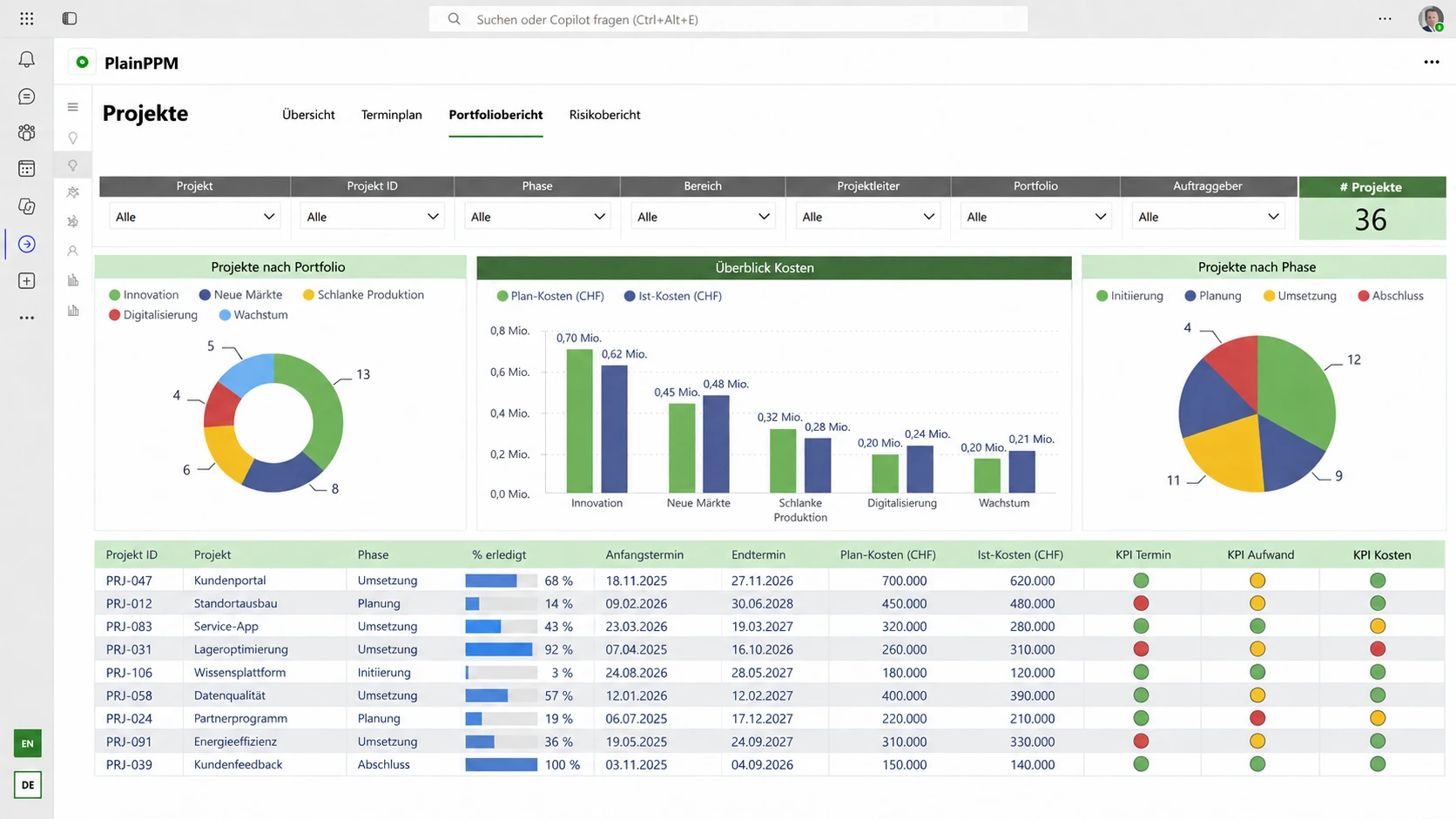
Steer the portfolio effectively
Up-to-date figures for your decisions – straight from the projects.
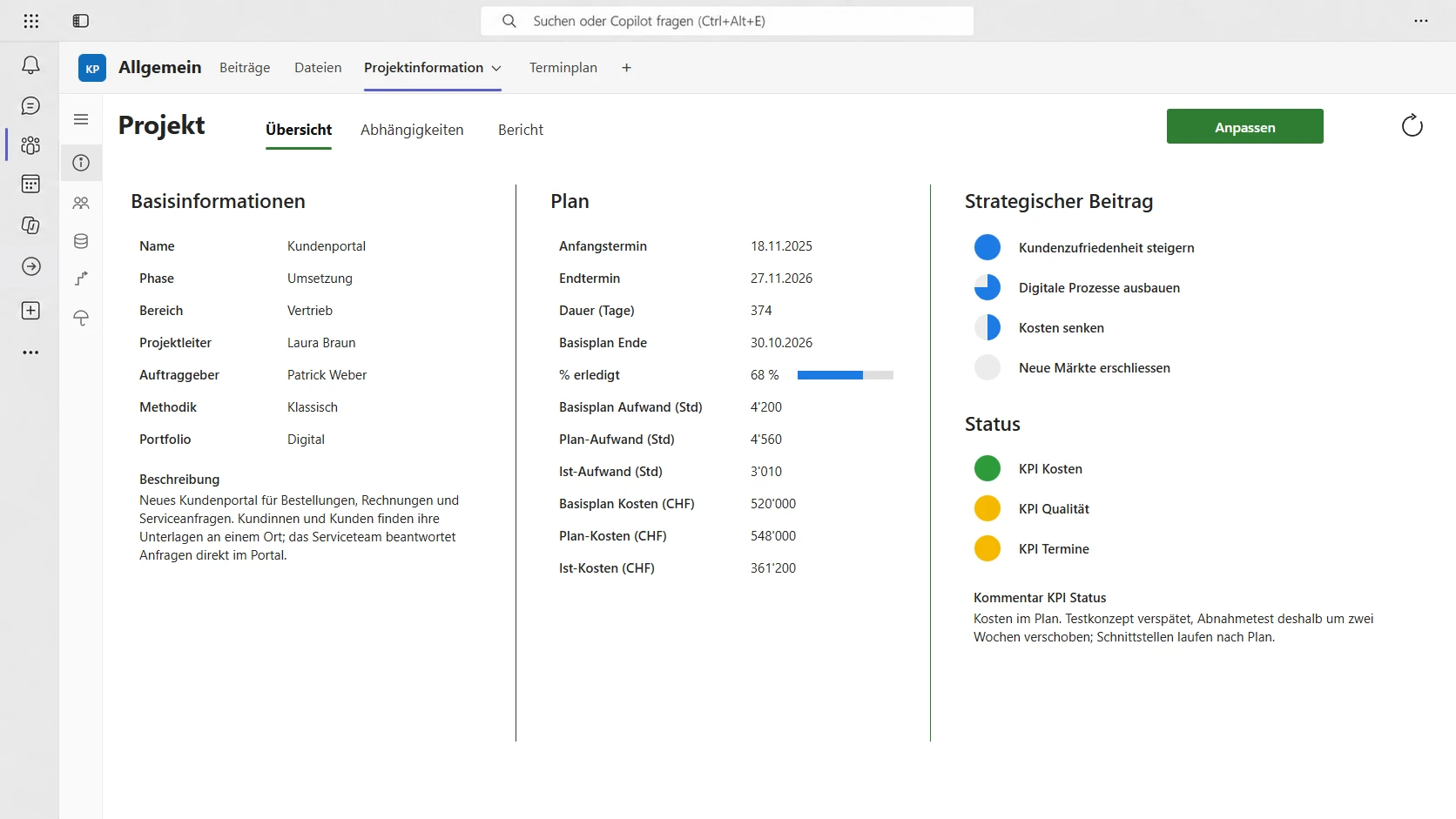
Project and collaboration
Project information, posts, files and schedule in one team – for seamless collaboration.
Plan with ease
Planner Premium brings your project plan into the familiar Microsoft environment. Create it easily, work on it together and extend it as needed.
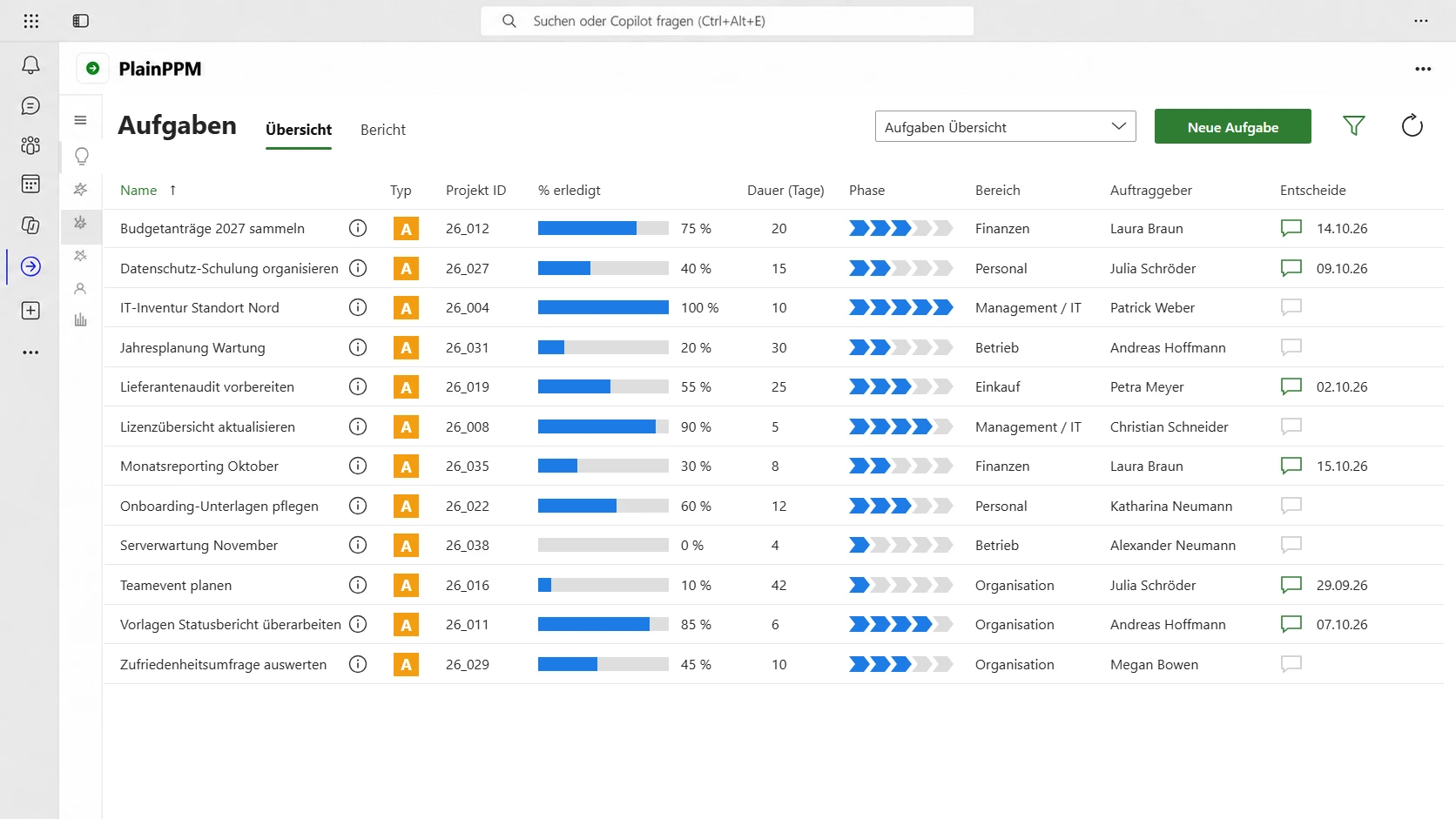
Stay on top of projects and tasks
Projects and other initiatives in one view – for every department and every area.
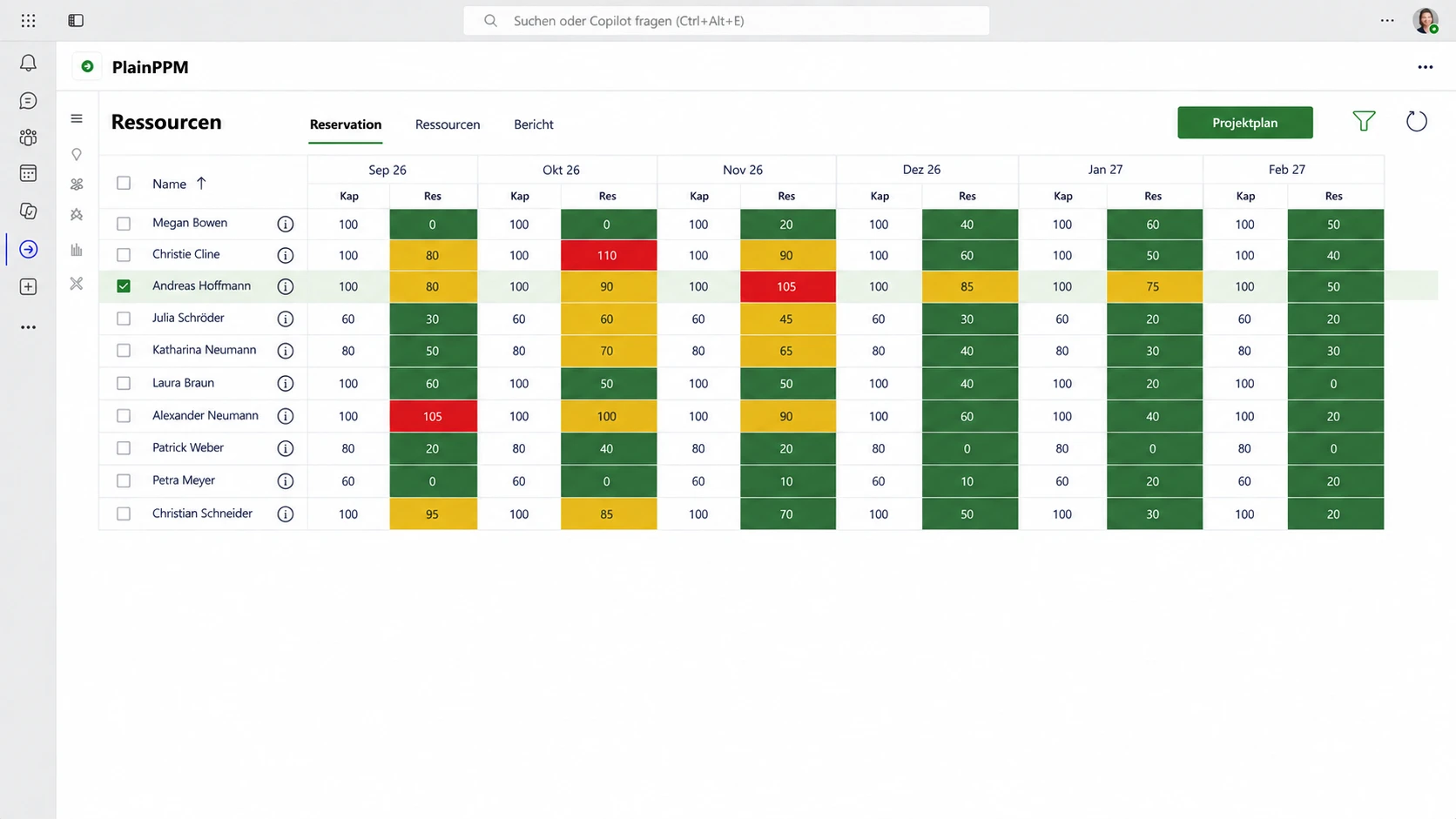
Plan resources with confidence
Plan your team’s workload in advance, month by month and in line with each person’s capacity.
Make the best use of capacity
Utilization by person, department and project at a glance.
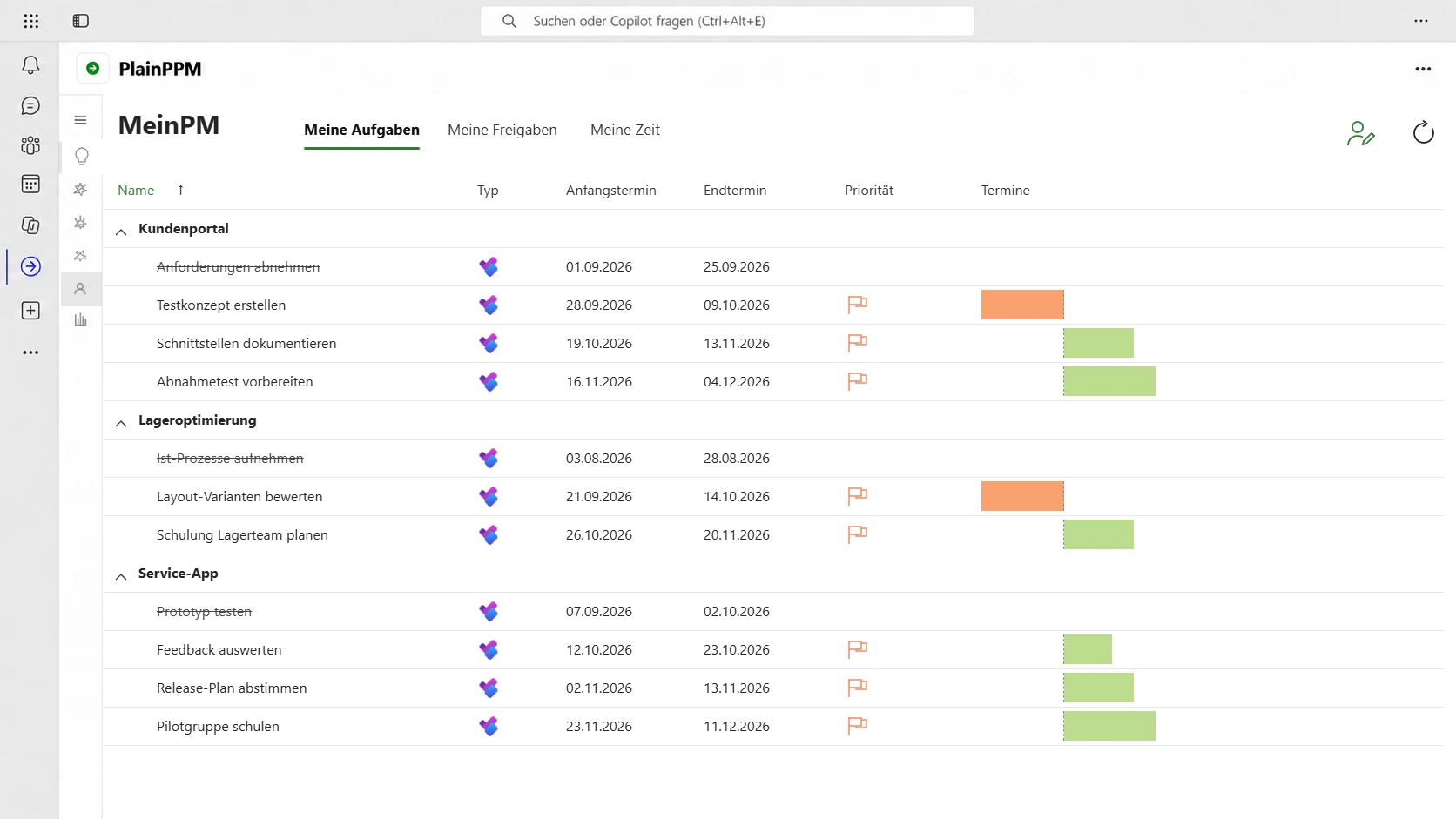
Stay on top of your work
All your work packages from all projects in one place.
Make decisions
Everything awaiting your decision in one place – with all the details for the right choice.
Record effort easily
Track actual time when you need it to monitor progress and support billing.
For PMO, project managers, management and IT
For organizations with around 15 users or more who work with Microsoft 365 – whether following PMI, IPMA, Hermes or a pragmatic approach.
PMO and portfolio
- All ideas and projects in one place
- Evaluate and prioritize consistently
- Reports without collecting data by hand
Project managers
- Plan and steer directly in Teams
- Tasks in Planner, maintained only once
- Report status in a few clicks
Management
- Choose the right projects
- Budget and capacity in view
- Identify early where your projects need attention
IT
- Runs in your Microsoft 365 tenant
- Open solution: your data, your app – extensible via the Power Platform
- Permissions and roles as usual
Security & data protection
Comprehensive security
At Microsoft, security is directly integrated into the infrastructure, with data centers protected according to the strictest standards such as 24×7 monitoring and biometric access control.
GDPR data protection
Through its Online Services Terms, Microsoft undertakes comprehensive contractual obligations relating to the GDPR. Microsoft considers data protection to be a fundamental human right.
Swiss & EU data residency
For Microsoft 365 business customers based in Switzerland or the EU, data is automatically stored in the originating country at no additional cost and with the same service level.
Extend PlainPPM to meet your needs: the Feature Kiosk
The standard fits most organizations. Whatever else you need, you add exactly where it helps.
Everyone starts with the proven standard.Each organization adds what it needs.
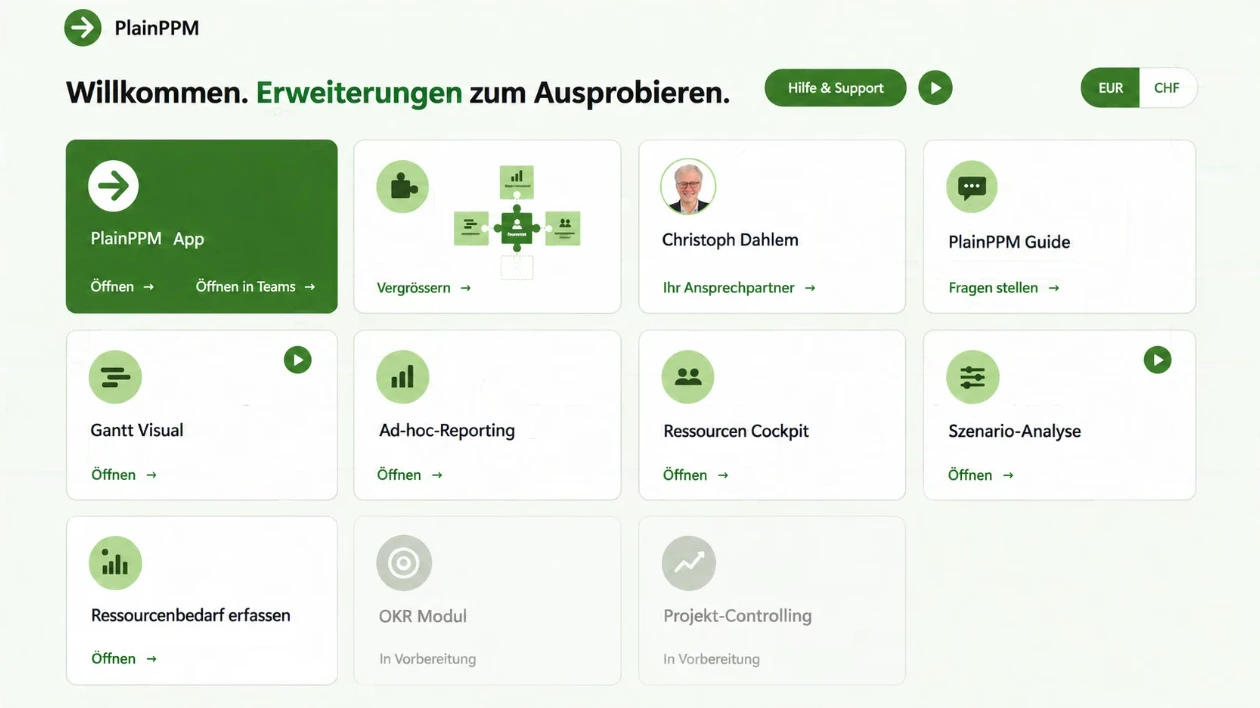
The Feature Kiosk
The Feature Kiosk gives you an at-a-glance view of all PlainPPM extensions, including Gantt Visual, Resource Cockpit and Scenario Analysis.
- 1
Extend where it helps
Explore, try and adopt extensions in the Feature Kiosk. If you need something more, we’ll build it to fit the standard.
- 2
Pay only for what you use
One-off implementation, then one annual package – with an unlimited number of users.
See pricing
Demo or trial week: discover PlainPPM
Two ways to discover PlainPPM. Then we can discuss the next steps together.
The demo
We give you a live demonstration of PlainPPM using an example from your day-to-day work. Your IT team is welcome to join.
- Focused on your questions
- Talk openly about implementation and pricing
- Afterwards, you’ll know whether PlainPPM is right for you
The trial week
From Monday to Friday you work in a ready-to-use PlainPPM environment with sample data – nothing to install, nothing in your tenant.
- Kick-off session
- Two user accounts, for example for the PMO and a project manager
- We support you all week
PlainPPM compared with Excel, Planner Premium, Jira and Project Online (in German)
No user-based licenses for PlainPPM.One-off implementation, then one annual package for your entire organization. Microsoft licenses are covered by your Microsoft agreement. See pricing
More about project management and PlainPPM (articles in German).
Frequently asked questions about licenses, data and implementation
Which licenses do we need?
There are no user-based licenses for PlainPPM, but one annual package for your entire organization. The Microsoft licenses are covered by your existing Microsoft agreement. We will work out which ones you need with you in the demo.
Where does PlainPPM store my data?
PlainPPM stores all data in the Dataverse database within your Microsoft 365 tenant.
What does PlainPPM mean for our IT?
PlainPPM is an app on the Microsoft Power Platform and runs in your own Microsoft 365 tenant. No additional system with its own data storage is added, and your IT manages permissions and roles as usual. We are happy to answer your IT’s questions directly in the demo.
How long does the implementation take?
A standard implementation takes about 4–6 weeks; with your own processes and workshops, it takes about 10–12 weeks.
How does PlainPPM differ from Planner Premium?
Planner Premium plans a project’s tasks and schedule. PlainPPM uses Planner for project planning and adds portfolio-level capabilities: evaluating ideas, managing the portfolio, planning resources and reporting in Power BI.
Who uses PlainPPM?
PlainPPM is in use at WAS Lucerne, Stromnetz Hamburg, Children’s Hospital Zurich, Kardex, Swiss Salt Works, Helion, GROFA, University of Bern, Leonhard Lang and thyssenkrupp nucera, among others.
Get in touch.
Write to us or give us a call. Together we will find the best way for you to get to know PlainPPM.